GIF Fun 1
After letting my little GIF editor rest for a while, I thought that maybe some writing about GIFs and why they are cool is in order, intermixed with maybe some retrospective posts about the editor itself. So this is hopefully the first of many GIF-related posts!
Let us start this series with a sad fact to keep the mood low enough for the current media climate: GIFs are not living up to their full potential, and you probably did not even know it. What I mean by that is that there are features in the GIF specification that are really cool and not supported by a lot of programs displaying GIFs.
First feature: Plain Text
Plain Text is, just as the name suggests, simply text that you can put over your GIF. It likely is not supported by most programs because, unlike with the images, here you need to implement a lot of stuff yourself. What Plain Text data gives you is a defined grid, with defined cell dimensions, and then some text that has its foreground and background colors picked from the global color table. That leaves the actual choice of font, text rendering, and warping the text to the given dimensions up to the program.
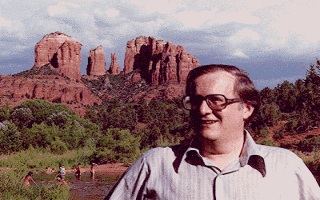
To put an ironic twist on this, there is a GIF from one of the people behind the GIF specification that you can find under the name BOB89A and includes Plain Text to explain all the new features. But because Plain Text is rarely supported, you are most likely only seeing a single image of a guy in front of some mountains. But maybe it is better if you can't read it, because Bob is (imho) wrong about the pronunciation of the word GIF in the Plain Text.
While my GIF editor does support Plain Text blocks, I opted to not render them and simply display the text in an editable field. Maybe that will change some day, but there is little reason for me to implement a complete render-thingy for a feature you still would not be able to really use anywhere else.
Second feature: User Input Flag
The flag is part of the so called Graphic Control Extension block, which is vital for images in a GIF to know how long they should be displayed, and some other stuff like transparency as well. The flag is a Boolean value that, if true, should allow a user to hit a key and skip to the next image.
So theoretically an image can either go away after its delay time is over or if a user hits a button before the delay is over. But in practice, you can hit every key on your keyboard, mouse, joypad, Lovense, or whatnot (except for the power button on your PC), and the image will not be skipped sooner than if you did not hit any button.
Third feature: Default Colors
This one is more of an interpretation of the specification than a hard defined feature though. GIFs use color tables, storing the color of an image separately from the direct image data (basically, images in GIFs are just a compressed list of indices into the color table). There can be a global color table and, per image, also a local one. But the specification allows there to not be any color table in a GIF, even if images are present.
So, what should a program display if it encounters an image but has neither a global nor a local color table to pick colors from? Well, the specifications leave that open, allowing decoders to use a system color table, but even without RFC 2119 existing back then, they only used "may". In practice that means that whether a GIF without a color table is rendered or just presented as a blank image depends completely on the program used.
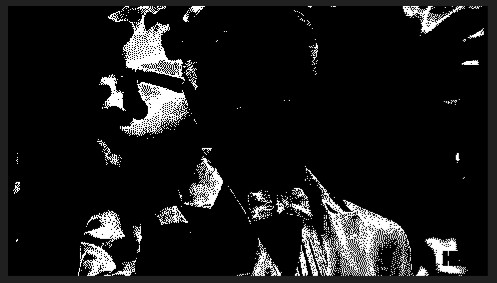
I tested it with Firefox and the Windows standard program and found that only Windows used a default color table, while Firefox showed a blank image.
And that's it for today. More GIF stuff to come when I find the time and muse to write it.